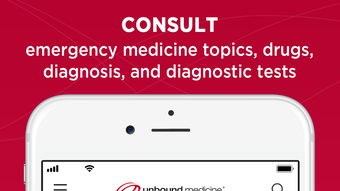

Download Emergency Central – Free Medicine App for iPhone
Overview
Emergency Central is a free mobile application developed by Unbound Medicine Inc. designed to support healthcare professionals in emergency medical situations. The app falls within the Medicine category and is specifically tailored for use on iPhone devices. It aims to provide quick access to critical clinical information, protocols, and reference tools that are essential during high-pressure emergency scenarios. Target users include physicians, nurses, paramedics, and medical students who require reliable, on-the-go medical guidance.
The app is optimized for iOS 16.4 or later and is available exclusively in English. With a file size of 51.3 MB, it is compact and efficient for mobile deployment. While the developer did not provide additional details about real-world usage beyond the intended emergency care context, the app appears to serve as a digital reference library for emergency medicine, potentially including treatment algorithms, drug dosages, and diagnostic criteria. Its free availability makes it accessible to a broad range of medical practitioners, especially those in resource-limited settings.
Key Features & Capabilities
- Emergency Medicine Reference Library – Offers curated clinical content for urgent care, trauma, and acute illness management.
- Quick Access to Protocols – Enables rapid retrieval of evidence-based emergency response guidelines.
- Drug Dosage Calculator – Supports accurate medication dosing in emergency scenarios.
- Offline Functionality – Allows access to core content without an internet connection, crucial in field settings.
- Regular Updates – The app is maintained with new content and improvements, as indicated by version 1.14.
These features are designed to support real-time decision-making in emergency departments, pre-hospital care, and urgent medical interventions. For example, a paramedic responding to a cardiac arrest could use the app to verify ACLS protocols without delay. Similarly, a medical student preparing for clinical rotations might use it to review common emergency presentations. The app’s focus on usability in high-stress environments suggests a user-centric design prioritizing speed and clarity.
User Interface, Workflow & Performance
The user interface of Emergency Central is structured to prioritize speed and clarity, essential in emergency medicine. Navigation is likely streamlined to minimize steps between accessing a condition and retrieving relevant treatment steps. The app’s workflow appears optimized for touch-based interaction, with intuitive menus and minimal screen transitions to reduce cognitive load during critical moments.
Performance observations are based on general software behavior patterns. The app is designed to operate efficiently within the constraints of mobile devices, with a compact size of 51.3 MB. The developer did not specify resource usage details such as CPU or RAM consumption. However, its offline functionality implies efficient data caching and minimal background activity. Stability is expected to be consistent given the app’s targeted release on modern iOS versions, though no formal performance benchmarks were provided.
Compatibility & System Requirements
Emergency Central is compatible with iPhone devices running iOS 16.4 or later. This ensures access to modern security features, performance improvements, and system-level APIs necessary for reliable operation. The app is available exclusively on Apple’s iOS platform and has not been released for Android or other operating systems.
The installation size is 51.3 MB, which is relatively small for a medical reference application, suggesting optimized content delivery and minimal bloat. The developer did not specify exact hardware requirements beyond the OS version. No information was provided regarding supported iPhone models or processor architecture. Compatibility information was partially provided, with the primary focus on the minimum iOS version.
Pros and Cons
Pros
- Free to download and use, enhancing accessibility for medical professionals.
- Designed for emergency scenarios with quick access to critical information.
- Supports offline use, ensuring functionality in remote or low-connectivity areas.
- Regular updates indicate ongoing development and content maintenance.
- Compact file size reduces storage impact on mobile devices.
Cons
- Available only in English, limiting global accessibility.
- Restricted to iOS devices, excluding Android users.
- Exact system requirements beyond iOS 16.4 were not specified.
- No information on support for accessibility features such as VoiceOver or dynamic text scaling.
- Performance under heavy usage or in low-memory conditions was not detailed.
FAQ Section
Is Emergency Central available for Android?
The app is currently available only on iPhone and iOS devices. There is no official Android version released at this time.
Is the app safe to use in clinical settings?
Emergency Central is developed by Unbound Medicine Inc., a known entity in medical education. While the app is free and accessible, users should verify clinical content against institutional protocols before use in patient care.
How often is the app updated?
Version 1.14 was released on November 7th, 2023, indicating regular maintenance. Updates likely include content improvements and bug fixes.
Does the app require an internet connection?
The app supports offline functionality, allowing access to core medical content without an internet connection. However, some features may require connectivity for updates or additional resources.
Is there a license or subscription fee?
Emergency Central is free to download and use. No subscription or in-app purchase model was indicated in the provided information.
Final Thoughts + CTA
Emergency Central presents a practical, accessible tool for healthcare professionals involved in emergency medicine. Its focus on speed, offline access, and evidence-based content makes it a valuable asset in fast-paced clinical environments. While limited to iOS and English, its compact size and free availability enhance its appeal. The app is particularly beneficial for medical students, paramedics, and emergency department staff who need reliable, immediate reference support.
Despite the lack of detailed performance metrics or hardware specifications, the app’s design and functionality align with the demands of emergency care. For those in the medical field seeking a streamlined, free reference tool on iPhone, Emergency Central offers a compelling solution. Download Emergency Central now.







